
I am having difficulties "registering" or "activating" Particle Editor / Inner Tube.
- In order to activate / register you must have purchased a serial number. The serial number looks something like "00018-7G4D9ABD0D1J”. A serial number will only activate a product on a single computer. If you wish to use multiple computers you must purchase multiple serial numbers.
- Open the Somatic Vision Product Activation by going to Start Menu->Programs->Inner Tube->Activate Inner Tube (or if the trial has ended just press "Yes" to activate when asked to activate).
- Enter the serial number in the "Product Serial Number" box.
- The product name, computer code and product status will all automatically fill in when you enter a valid serial number.
- Click the button "www.somaticvision.com/registration/" to register on line with this computer. If the computer you are using does not have internet access you will need to write down the computer code and serial number, go to another computer (with internet), and go to "www.somaticvision.com/registration".
- Enter your details and press "Unlock Product". Write down the unlock code you receive.
- Enter the unlock code into the "Enter unlock code" section of the Somatic Vision Product Activation and press "Submit Activation". Make sure to enter the unlock code into the one computer you want to unlock (if you got the code using another computer’s internet access switch back to the original computer to enter the unlock code).
Support
Games that Help
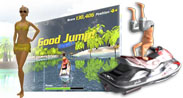
Tropical Heat
Spend ten minutes a day playing relaxing heart rate feedback games to reduce stress, optimize breathing, and improve performance at work.

Alive is terrific for kids and teens. So far I have used it primarily with 11 to 16 year-olds. With other systems, I could never get an accurate heart rate signal from many younger children because they were so wiggly, and I often had to have very short training sessions because of their short attention span. With Alive, these children sit quietly and don't want to stop, even after 55 minutes. To quote one young boy who caught on immediately: "I have to stay calm even when things get hard."
We got a call from the school principal: Our son is doing better! I'm sure that Dual Drive has been a factor in his improvement. I love watching him calm down and breathe.
